
Resposta Rápida
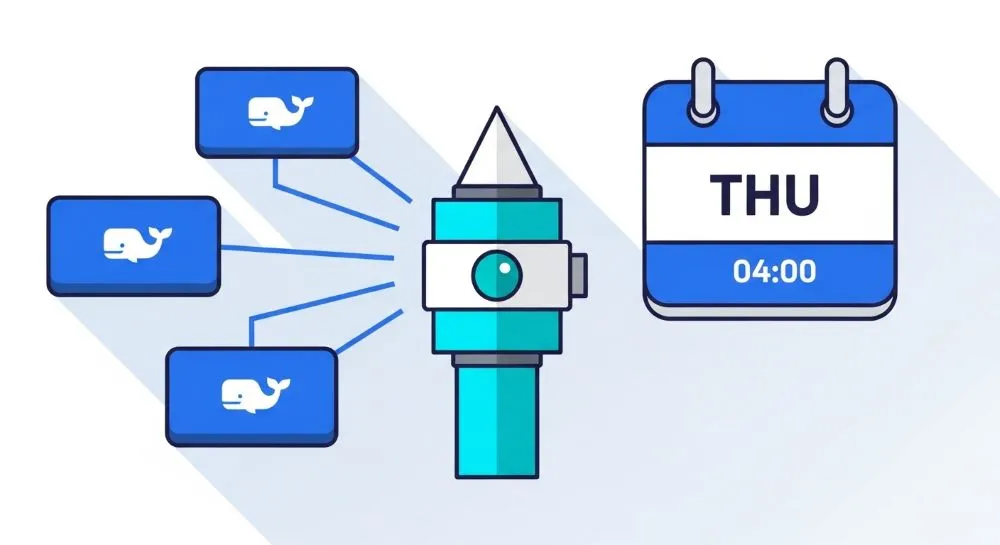
O Watchtower é uma ferramenta que monitora imagens Docker e atualiza containers automaticamente quando novas versões são publicadas. Em 2026, a melhor prática para ambientes domésticos, Home Labs e pequenos servidores é programar atualizações em uma janela de manutenção, como toda quinta-feira às 04h, reduzindo riscos de indisponibilidade e permitindo atualizações previsíveis. A configuração é simples através do Docker Compose usando uma expressão cron e pode incluir limpeza automática de imagens antigas para economizar espaço em disco.
Principais Pontos
- Atualiza containers Docker automaticamente.
- Permite agendamento usando cron.
- Reduz trabalho manual de manutenção.
- Pode remover imagens antigas automaticamente.
- Ideal para Home Labs, NAS, Raspberry Pi e pequenos servidores.
Visão Geral
Manter containers Docker atualizados é uma das tarefas mais importantes para garantir:
- Correções de segurança
- Novos recursos
- Melhor desempenho
- Compatibilidade com versões recentes
Porém, atualizar manualmente dezenas de containers pode rapidamente se tornar uma tarefa repetitiva e sujeita a erros.
É exatamente aqui que o Watchtower se destaca.
Ele verifica periodicamente o Docker Hub e outros registries compatíveis, identifica imagens mais recentes e realiza a atualização automática dos containers.
Em vez de executar verificações diariamente, uma abordagem mais profissional é definir uma janela semanal de manutenção.
Um exemplo bastante utilizado é:
Toda quinta-feira às 04h da manhã
Normalmente este horário apresenta:
- Menor utilização do servidor
- Menor impacto aos usuários
- Menor risco operacional
O Que É o Watchtower?
O Watchtower é um container que monitora outros containers Docker.
Quando uma nova imagem é detectada:
- Faz download da imagem atualizada.
- Para o container antigo.
- Cria uma nova instância.
- Mantém a mesma configuração.
- Remove imagens obsoletas (opcional).
Na prática, ele funciona como um sistema de atualização automática para Docker.
Como Funciona o Processo de Atualização
Watchtower inicia
        ↓
Verifica imagens
        ↓
Existe atualização?
        ↓
      Sim
        ↓
Baixa nova imagem
        ↓
Reinicia container
        ↓
Remove imagem antiga
Configuração Recomendada para 2026
Docker Compose
services:
  watchtower:
    image: containrrr/watchtower:latest
    container_name: watchtower
    restart: unless-stopped

    volumes:
      - /var/run/docker.sock:/var/run/docker.sock

    environment:
      TZ: America/Sao_Paulo
      WATCHTOWER_CLEANUP: "true"

    command: --schedule "0 4 * * 4"
Suba o container:
docker compose up -d
Entendendo o Cron
O agendamento:
0 4 * * 4
significa:
| Campo | Valor | Significado |
|---|---|---|
| Minuto | 0 | Início da hora |
| Hora | 4 | 04h da manhã |
| Dia do mês | * | Qualquer |
| Mês | * | Qualquer |
| Dia da semana | 4 | Quinta-feira |
Resultado:
Atualização automática toda quinta-feira às 04:00.

Como Validar Isso na Prática
Após iniciar o Watchtower:
docker ps
Verifique se o container está em execução.
Agora consulte os logs:
docker logs watchtower
Você deverá encontrar algo semelhante a:
Watchtower scheduled first run
Checking containers
Next run: Thursday 04:00
Isso confirma que o agendamento foi carregado corretamente.
Como Fazer um Teste Imediato
Não quer esperar até quinta-feira?
Execute:
docker run --rm \
-v /var/run/docker.sock:/var/run/docker.sock \
containrrr/watchtower \
--run-once
O Watchtower fará uma única verificação e mostrará possíveis atualizações disponíveis.
Benchmark Real de Consumo
Uma dúvida comum é:
O Watchtower consome muitos recursos?
Na maioria dos cenários, não.
Home Lab Pequeno
| Recurso | Consumo Médio |
|---|---|
| CPU | Menos de 1% |
| RAM | 20 MB a 80 MB |
| Disco | Quase zero |
| Rede | Apenas durante verificações |
Raspberry Pi 4
| Recurso | Consumo Médio |
|---|---|
| CPU | < 1% |
| RAM | 30 MB |
| Energia | Impacto praticamente nulo |
Para a maioria dos usuários, o custo operacional é irrelevante.
Benefícios do Watchtower
Automação
Reduz trabalho manual.
Segurança
Aplica correções rapidamente.
Economia de Tempo
Ideal para quem administra muitos containers.
Limpeza Automática
Com:
WATCHTOWER_CLEANUP=true
Imagens antigas são removidas automaticamente.
Escalabilidade
Funciona tanto em Raspberry Pi quanto em servidores dedicados.
Limitações do Watchtower
Embora seja extremamente útil, não é perfeito.
Possíveis Quebras
Uma atualização defeituosa do desenvolvedor pode gerar problemas.
Ambientes Críticos
Empresas normalmente utilizam pipelines CI/CD com validação antes do deploy.
Containers com Tags Fixas
Exemplo:
nginx:1.25.3
O Watchtower não atualizará para:
nginx:1.26
automaticamente.
Comparação: Atualização Manual vs Watchtower
| Recurso | Manual | Watchtower |
|---|---|---|
| Trabalho humano | Alto | Baixo |
| Risco de esquecimento | Alto | Baixo |
| Tempo gasto | Alto | Muito baixo |
| Escalabilidade | Limitada | Excelente |
| Automação | Não | Sim |
Quem Deve Utilizar?
Recomendado para
- Home Labs
- Raspberry Pi
- NAS
- Servidores pessoais
- Self-hosting
- Pequenas empresas
Talvez Não Seja Ideal Para
- Bancos de dados críticos
- Sistemas financeiros
- Ambientes corporativos altamente regulados
Nestes casos, o ideal é usar pipelines controlados de atualização.
Boas Práticas em 2026
Atualize Durante Janela de Manutenção
Evite atualizações em horário comercial.
Configure Backups
Especialmente para:
- PostgreSQL
- MariaDB
- Nextcloud
- Home Assistant
Monitore Logs
docker logs watchtower
Use Notificações
O Watchtower suporta integração com:
- Discord
- Telegram
- Slack
- Teams
Permitindo saber quando uma atualização foi executada.
Vale a Pena Usar Watchtower em 2026?
Para a maioria dos usuários:
Sim.
Especialmente para quem administra:
- Home Labs
- Servidores Docker pessoais
- Raspberry Pi
- NAS Synology
- Mini PCs
Ele reduz manutenção manual e mantém os serviços atualizados com praticamente zero esforço.

Perguntas Frequentes (FAQ)
O Watchtower é seguro?
Sim, desde que utilizado em ambientes adequados e com backups regulares.
Preciso usar a tag latest?
Não necessariamente, mas o Watchtower só consegue atualizar para versões mais recentes quando existe uma referência atualizável.
Ele reinicia containers automaticamente?
Sim, quando detecta uma nova imagem.
Posso atualizar apenas containers específicos?
Sim.
Exemplo:--label-enable
Com labels nos containers desejados.
O Watchtower funciona em Raspberry Pi?
Sim.
É uma das plataformas mais utilizadas.
Posso usar em produção?
Sim, mas ambientes críticos normalmente utilizam estratégias mais controladas de deploy.
Conclusão
O Watchtower continua sendo uma das ferramentas mais eficientes para gerenciamento automatizado de containers Docker em 2026.
Ao programar atualizações semanais, como toda quinta-feira às 04h, você obtém um excelente equilíbrio entre segurança, estabilidade e praticidade.
Essa abordagem reduz o risco de atualizações inesperadas, mantém os serviços protegidos contra vulnerabilidades conhecidas e elimina grande parte da manutenção manual que normalmente acompanha ambientes Docker.
Para Home Labs, NAS, Raspberry Pi e servidores pessoais, essa é atualmente uma das configurações mais recomendadas.
Quer transformar seu Home Lab em uma infraestrutura realmente profissional?
Implemente o Watchtower junto com monitoramento via Grafana, alertas no Telegram e backups automatizados. Essa combinação reduz o trabalho manual, aumenta a disponibilidade dos serviços e torna a administração do seu ambiente Docker muito mais segura e eficiente.
Quer dominar o Docker em ambientes de laboratório doméstico?