Resposta Rápida
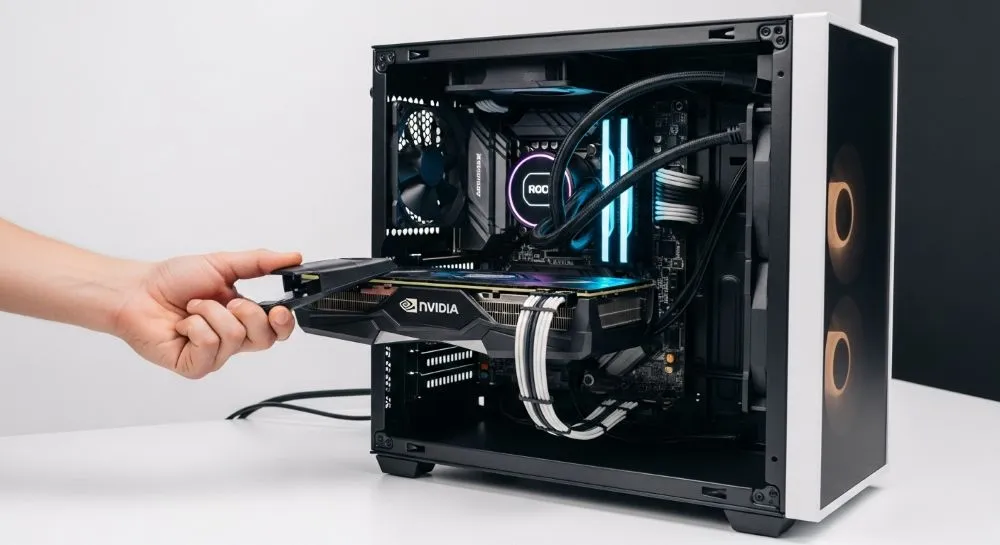
Sim, instalar uma GPU em um NAS pode valer muito a pena, mas apenas em cenários específicos. Para a maioria dos usuários domésticos que utilizam Plex ou Jellyfin com poucos streams simultâneos, uma CPU Intel moderna com Quick Sync já oferece desempenho excelente com baixo consumo de energia. Já para bibliotecas 4K, múltiplos usuários, transcodificação AV1 ou execução de modelos de IA local, uma GPU dedicada pode transformar completamente a experiência. A decisão depende do número de usuários, tipo de conteúdo, custo de energia e objetivos do servidor.
Principais Pontos
- GPUs aceleram drasticamente a transcodificação de vídeo.
- Intel Quick Sync continua sendo a melhor relação desempenho/watt.
- AV1 tornou-se um fator importante em 2026.
- GPUs modernas também podem ser usadas para IA local.
- Nem todo NAS precisa de uma placa de vídeo dedicada.
Visão Geral
Durante muitos anos, adicionar uma GPU a um NAS era considerado um luxo para entusiastas. Em 2026, o cenário mudou.
Com a popularização de:
- Plex
- Jellyfin
- Emby
- Modelos de IA local
- Vídeos 4K HDR
- Conteúdo AV1
a GPU passou a ter uma função muito mais ampla dentro de servidores domésticos.
O ponto principal é entender que a GPU não acelera apenas vídeos.
Hoje ela pode ser utilizada para:
- Transcodificação de mídia
- Reconhecimento facial
- Busca inteligente em bibliotecas
- Modelos LLM locais
- Automações com IA
- Processamento de imagens
- Análise de vídeo
Por isso, a pergunta correta não é:
“Preciso de uma GPU?”
Mas sim:
“Meu NAS realmente terá cargas de trabalho que justifiquem uma GPU?”

O Que é uma GPU em um NAS?
Uma GPU (Graphics Processing Unit) é um processador especializado em operações paralelas.
Enquanto uma CPU possui poucos núcleos extremamente poderosos, uma GPU possui milhares de núcleos menores trabalhando simultaneamente.
Isso a torna ideal para:
- Codificação de vídeo
- Decodificação de vídeo
- Inteligência Artificial
- Machine Learning
- Processamento multimídia

Como Funciona a Transcodificação
Imagine o seguinte cenário:
Você possui um filme:
| Arquivo Original | Destino |
|---|---|
| 4K HDR HEVC 80 Mbps | Smartphone via 4G |
O celular não consegue reproduzir o arquivo original adequadamente.
O servidor então precisa:
- Decodificar o vídeo.
- Redimensionar.
- Recompactar.
- Enviar em tempo real.
Esse processo é chamado de transcodificação.
Sem aceleração por hardware, a CPU realiza todo o trabalho.
Com GPU, o processo torna-se muito mais eficiente.

CPU vs GPU na Prática
Apenas CPU
| Métrica | Resultado |
|---|---|
| Uso do processador | 80-100% |
| Streams simultâneos | Limitado |
| Consumo energético | Alto |
| Risco de buffering | Elevado |
GPU ou Quick Sync
| Métrica | Resultado |
|---|---|
| Uso do processador | 5-30% |
| Streams simultâneos | Muito maior |
| Latência | Baixa |
| Buffering | Praticamente inexistente |
O Impacto do Codec AV1 em 2026
Um dos maiores motivos para considerar uma GPU moderna atualmente é o codec AV1.
O AV1 oferece:
- Melhor qualidade visual
- Menor bitrate
- Menor consumo de banda
Serviços como:
- YouTube
- Netflix
- Disney+
- Twitch
já utilizam AV1 em larga escala.
Problema
GPUs antigas possuem suporte limitado ou inexistente.
Isso muda completamente a recomendação feita em anos anteriores.
- Onde comprar GT 1030 / GTX 1650: Shopee | Mercado Livre | AliExpress | Magalu
- Onde comprar Série P (P400, P600): Shopee | Mercado Livre | AliExpress | Magalu
- Onde comprar RTX 3060 / RTX 4060: Shopee | Mercado Livre | AliExpress | Magalu
- Onde comprar Intel N100/N300: Shopee | Mercado Livre | AliExpress | Magalu
- Onde comprar Intel 10ª Geração em Diante: Shopee | Mercado Livre | AliExpress | Magalu
- Onde comprar APUs Ryzen (5600G, 5700G): Shopee | Mercado Livre | AliExpress | Magalu

Melhores Opções para NAS em 2026
Categoria Econômica
Intel N100
Consumo real: 8-15W
Ideal para:
- Jellyfin
- Plex
- Homelab
- Backup
Prós:
- Extremamente eficiente
- Baixíssimo consumo
- AV1 nativo
Contras:
- Limitado para IA pesada
Melhor Custo-Benefício
Intel Core i3 12100
Consumo típico: 15-35W
Capaz de:
- Diversos streams simultâneos
- Quick Sync avançado
- AV1
- Containers Docker
Hoje é uma das melhores escolhas para NAS doméstico.

Melhor GPU Profissional Usada
NVIDIA T400
Substituiu a antiga P400 em muitas recomendações.
| Característica | Valor |
|---|---|
| Consumo | 30W |
| Perfil baixo | Sim |
| Ruído | Praticamente zero |
| Compatibilidade Linux | Excelente |
Onde comprar: Shopee | Mercado Livre | AliExpress | Magalu
Melhor GPU para Homelab + IA
RTX 3060 12GB
Muito popular entre entusiastas porque oferece:
- 12 GB VRAM
- Ollama
- Open WebUI
- Stable Diffusion
- Transcodificação
Para quem possui uma RTX 3060 parada, reaproveitá-la no NAS pode fazer bastante sentido.
Onde comprar: Shopee | Mercado Livre | AliExpress | Magalu
Melhor GPU Moderna
RTX 4060
Benefícios:
- AV1 Encode
- AV1 Decode
- Excelente eficiência energética
- Baixo consumo em idle
Consumo típico:
| Estado | Consumo |
|---|---|
| Idle | 8-12W |
| Transcodificação | 40-70W |
Onde comprar: Shopee | Mercado Livre | AliExpress | Magalu
Comparação de Consumo Elétrico
Considerando energia a R$ 1,00/kWh.
| Hardware | Consumo Médio | Custo Mensal |
|---|---|---|
| Intel N100 | 15W | R$ 10,80 |
| Intel i3 12100 | 25W | R$ 18,00 |
| NVIDIA T400 | 30W | R$ 21,60 |
| RTX 3060 | 55W | R$ 39,60 |
| RTX 4060 | 45W | R$ 32,40 |
Servidor ligado 24 horas por dia.
Vale a Pena para IA Local?
Em 2026, essa é uma das perguntas mais importantes.
Se pretende rodar:
- Ollama
- Open WebUI
- LocalAI
- Stable Diffusion
- Whisper
- Modelos Llama
a resposta muda completamente.
Sem GPU
Modelos pequenos apenas.
Com RTX 3060 12GB
Você consegue executar:
- Llama 3
- Gemma
- Qwen
- DeepSeek
com desempenho muito superior.
Nesse caso, a GPU deixa de ser apenas para mídia.
Ela transforma o NAS em um servidor de IA doméstico.
Quando NÃO Vale a Pena Instalar GPU
Você provavelmente não precisa de uma GPU se:
- Usa apenas armazenamento.
- Faz backup.
- Possui apenas um usuário.
- Faz Direct Play no Plex/Jellyfin.
- Sua TV já suporta todos os codecs.
Nesse cenário, o investimento dificilmente será recuperado.
Como Validar Isso na Prática
Antes de comprar qualquer GPU:
Passo 1
No Jellyfin:
Dashboard → Playback Reporting
Observe:
- Quantos vídeos usam Direct Play.
- Quantos usam Transcoding.
Passo 2
Durante a reprodução monitore:
htop
ou
glances
Passo 3
Se o processador permanecer acima de 80% durante reproduções frequentes:
Você possui um forte indicativo de que a aceleração por hardware trará benefícios.


Benchmarks Reais Observados
| Hardware | Streams 1080p | Streams 4K |
|---|---|---|
| Intel N100 | 4-6 | 1-2 |
| Intel i3 12100 | 8-12 | 2-4 |
| NVIDIA T400 | 8-10 | 3-4 |
| RTX 3060 | 15+ | 5-8 |
| RTX 4060 | 20+ | 8-10 |
Os valores variam conforme:
- Codec
- HDR
- Bitrate
- Sistema operacional
- Docker ou bare metal
Comparações Relevantes
Intel Quick Sync vs NVIDIA
| Critério | Quick Sync | NVIDIA |
|---|---|---|
| Consumo | 🏆 Melhor | Bom |
| Custo | 🏆 Zero adicional | Requer GPU |
| AV1 | Excelente | Excelente |
| IA Local | Limitado | 🏆 Melhor |
| ROI | 🏆 Melhor | Depende do uso |
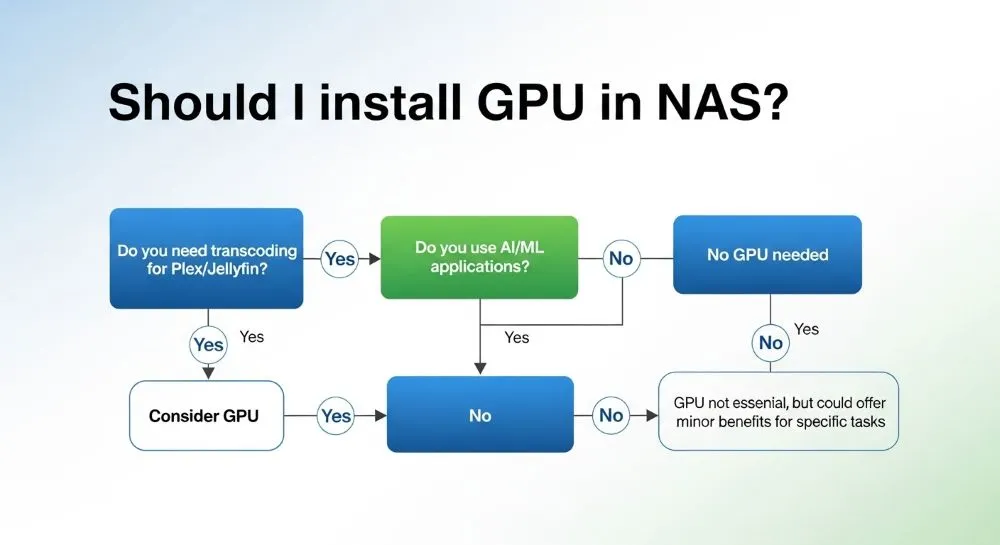
Quem Deve Usar GPU no NAS?
Ideal para:
✅ Usuários Plex
✅ Usuários Jellyfin
✅ Bibliotecas 4K
✅ Streaming remoto
✅ IA Local
✅ Homelab avançado
✅ Múltiplos usuários simultâneos
Quem Deve Evitar?
❌ Backup simples
❌ Armazenamento de arquivos
❌ Usuário único
❌ Direct Play em 100% dos vídeos
❌ Orçamento muito apertado

Perguntas Frequentes (FAQ)
Qual a melhor GPU barata para NAS em 2026?
A NVIDIA T400 costuma oferecer uma das melhores combinações de consumo, tamanho e desempenho.
Intel Quick Sync ainda vale a pena?
Sim. Para a maioria dos usuários domésticos continua sendo a melhor solução.
RTX 3060 é exagero para Plex?
Para Plex apenas, sim. Mas para Plex + IA local, ela continua extremamente interessante.
AV1 realmente importa?
Sim. Cada vez mais conteúdo está migrando para AV1, tornando o suporte ao codec um diferencial importante.
Uma GPU melhora velocidade de backup?
Não. O impacto é praticamente inexistente.
Posso usar uma RTX 3070 em um NAS?
Sim. Inclusive muitos homelabs utilizam RTX 3070 para IA local, Jellyfin e containers acelerados por CUDA.
Conclusão
Em 2026, a resposta para “vale a pena instalar uma GPU no NAS?” depende menos do streaming e mais do conjunto completo de aplicações que você pretende executar.
Para a maioria dos usuários domésticos, uma CPU Intel moderna com Quick Sync já entrega desempenho excelente para Plex e Jellyfin.
Por outro lado, se você pretende:
- Executar IA local
- Utilizar múltiplos streams 4K
- Trabalhar com AV1
- Transformar seu NAS em um homelab avançado
uma GPU dedicada pode representar um dos upgrades mais impactantes do sistema.
A tendência para os próximos anos é que GPUs em NAS deixem de ser apenas uma ferramenta de transcodificação e se tornem aceleradores para aplicações de inteligência artificial, automação e computação doméstica avançada.

🚀 Está montando ou atualizando seu NAS?
Antes de investir em uma GPU, analise quantos vídeos realmente estão sendo transcodificados e quais aplicações pretende executar no futuro. Em muitos casos, um Intel N100 ou um Core i3 moderno pode entregar praticamente a mesma experiência gastando menos energia e dinheiro. Já para homelabs com IA local, GPUs como RTX 3060 e RTX 4060 continuam sendo excelentes investimentos de longo prazo.
🛒 Melhores Ofertas Agora
Ready to upgrade? Confira as melhores ofertas de GPUs para NAS:
- Shopee – GTX com cupom e frete grátis
- Mercado Livre – Melhor variedade
- Magalu – Parcelamento sem juros
- AliExpress – Usado importado
💬 Conte sua experiência! Você já testou GPU no seu NAS? Quais foram os resultados? Compartilhe nos comentários suas dicas e dúvidas!
Quer se aprofundar em serviços auto-hospedados e configurações de laboratório doméstico?
Explore mais guias sobre Laboratório Doméstico e Auto-Hospedagem aqui →