Principais Pontos
- Gestão de Ciclo de Vida: Domínio dos comandos de execução, interrupção e depuração em ambientes isolados.
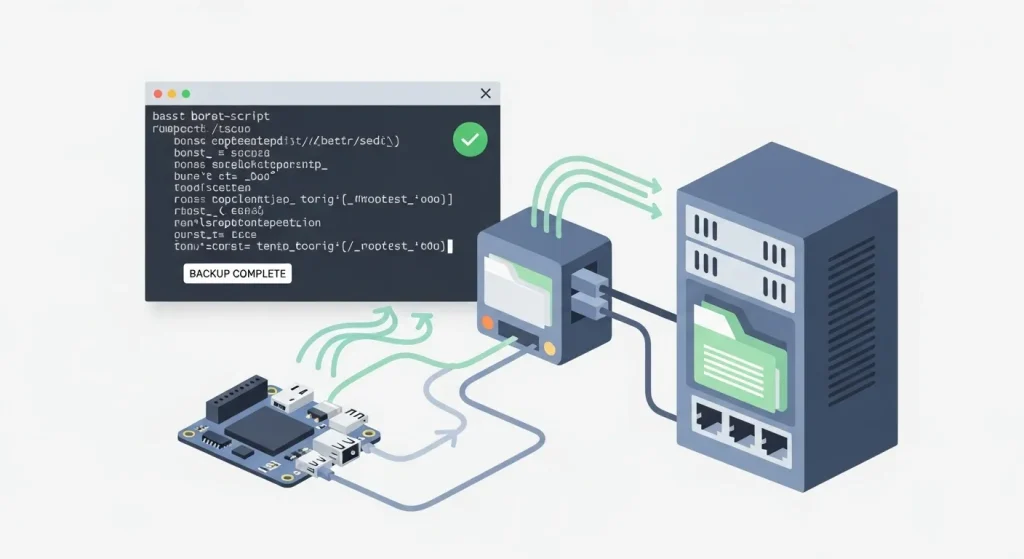
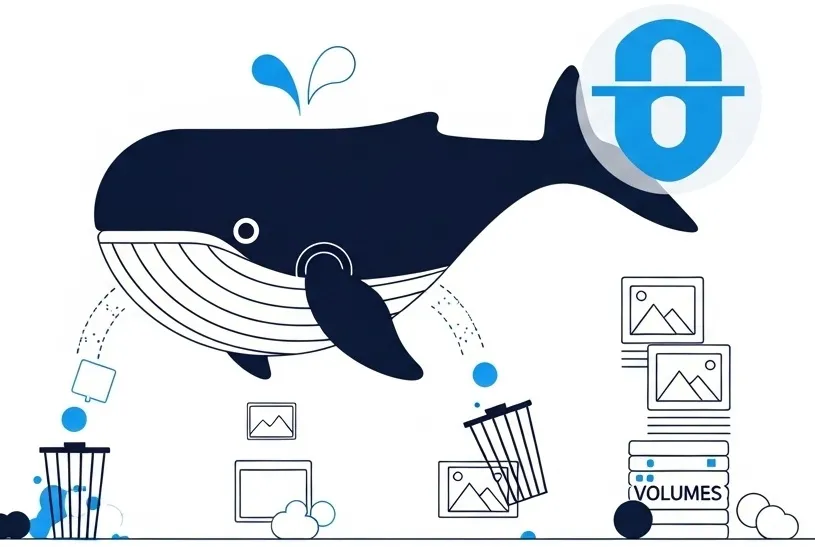
- Eficiência e Limpeza: Estratégias automatizadas para recuperar gigabytes de armazenamento descartando caches órfãos.
- Orquestração Declarativa: Substituição de comandos em linha única pelo ecossistema moderno do Docker Compose (V2).
- Impacto em Recursos: Métricas reais de consumo de CPU, memória e IOPS ao gerenciar múltiplos containers simultâneos.
- Segurança e Arquitetura ARM: Práticas recomendadas para desenvolvimento híbrido e implantação em servidores modernos baseados em ARM64.
Resposta Rápida
O Docker gerencia containers isolados compartilhando o kernel do sistema operacional host. Os comandos fundamentais para o fluxo de trabalho diário são:
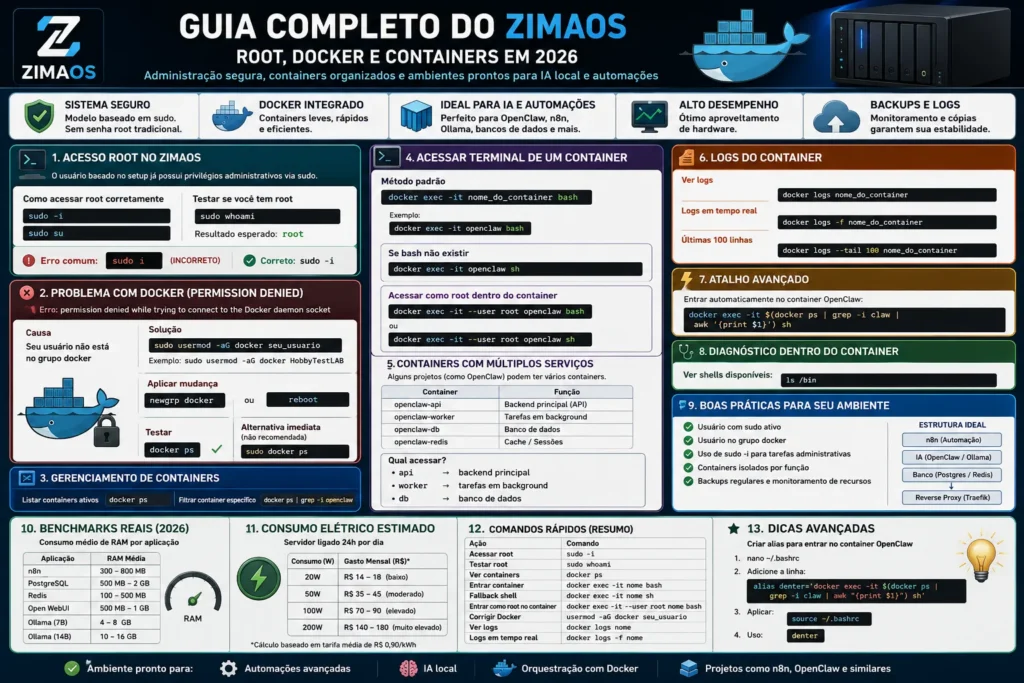
docker run(instanciar e iniciar),docker ps(listar containers ativos),docker exec -it(acessar o terminal interno do container),docker logs(diagnosticar falhas) edocker system prune --volumes(limpeza profunda de espaço). Para aplicações multicontainers, utiliza-se a especificação nativadocker compose up -d. Em 2026, a gestão eficiente exige atenção à compatibilidade de arquiteturas (x86_64 vs. ARM64) e à otimização de camadas para reduzir o consumo de armazenamento e memória no servidor.
Visão Geral
O desenvolvimento de software moderno exige portabilidade, previsibilidade e paridade entre os ambientes de desenvolvimento, homologação e produção. O Docker resolve o clássico problema do “na minha máquina funciona” empacotando a aplicação e suas dependências exatas dentro de uma unidade leve chamada container.
Diferente de máquinas virtuais tradicionais, que exigem um sistema operacional convidado completo para cada instância, os containers Docker compartilham o kernel do sistema operacional hospedeiro (Host). Isso resulta em uma inicialização que leva milissegundos e um consumo de recursos drasticamente menor. Em 2026, com a consolidação de servidores baseados em processadores ARM64 na nuvem (como instâncias AWS Graviton e Oracle Cloud Ampere), entender o comportamento e a sintaxe do Docker tornou-se um pré-requisito indispensável para desenvolvedores e profissionais de infraestrutura.

Explicação Completa
O Ecossistema Docker e os Comandos Fundamentais
Para operar o Docker com eficiência, é necessário compreender a divisão entre Imagens (modelos de leitura gravados em disco contendo o sistema básico e as dependências) e Containers (as instâncias vivas e mutáveis geradas a partir dessas imagens).
Abaixo está o detalhamento técnico dos comandos essenciais, organizados por contexto operacional.
1. Diagnóstico de Ambiente
Antes de iniciar qualquer operação, valida-se o estado do daemon do Docker e a arquitetura do sistema:
docker versionExplicação: Exibe as versões do cliente e do servidor, além de detalhar a arquitetura alvo (ex: linux/amd64 ou linux/arm64), crucial para evitar falhas de execução ao implantar imagens em servidores de nuvem modernos.
2. Gerenciamento de Imagens
Para buscar e armazenar imagens localmente a partir de registros como o Docker Hub ou GitHub Container Registry (GHCR):
docker pull node:20-alpineExplicação: Baixa a imagem oficial do Node.js baseada no Alpine Linux (uma distribuição ultraleve focada em segurança e tamanho reduzido).
Para listar as imagens disponíveis no disco rígido do host:
docker images3. Ciclo de Vida do Container
O comando de execução unifica a criação e a inicialização de um container em um único fluxo:
docker run -d -p 8080:80 --name servidor-web nginx:alpineParâmetros explicados:
-d(Detached): Executa o container em segundo plano, liberando o terminal atual.-p 8080:80: Redireciona a porta 8080 do sistema hospedeiro para a porta 80 interna do container.--name servidor-web: Atribui um nome amigável para facilitar o gerenciamento, evitando IDs aleatórios.
Para monitorar os containers que estão em execução ativa:
docker psPara listar absolutamente todos os containers (ativos, pausados ou interrompidos com erro):
docker ps -a4. Interação e Depuração
Quando uma aplicação apresenta comportamento inesperado, é necessário inspecionar seus logs internos ou acessar seu ambiente isolado:
docker logs --tail 50 -f servidor-webExplicação: Exibe as últimas 50 linhas de log e mantém o terminal aberto aguardando novas saídas em tempo real (-f).
Para entrar no terminal do container e executar comandos diretamente de dentro dele:
docker exec -it servidor-web shExplicação: A flag -it combina a interatividade com a emulação de um terminal (TTY). Utilizamos sh em vez de bash, pois imagens otimizadas como as baseadas em Alpine não incluem o interpretador Bash por padrão para economizar espaço e reduzir a superfície de ataque.
5. Construção Automática (Dockerfile)
Para compilar uma nova imagem customizada com base em um arquivo de configuração estruturado (Dockerfile) presente no diretório atual:
docker build -t meu-app-backend:1.0.0 .Explicação: A flag -t define a tag (nome e versão) da imagem. O ponto final (.) indica o contexto de construção — instruindo o Docker a enviar os arquivos locais do diretório atual para o daemon de compilação.
Benefícios
- Isolamento de Processos: Múltiplas aplicações com versões conflitantes do mesmo runtime (ex: PHP 7.4 e PHP 8.3) rodam simultaneamente no mesmo servidor sem interferências mútuas.
- Eficiência de Recursos: Containers consomem uma fração da memória RAM em comparação com máquinas virtuais, eliminando o overhead de emulação de hardware.
- Portabilidade Estrita: A certeza de que a imagem gerada no ambiente local de desenvolvimento executará com o exato mesmo comportamento nos servidores de produção na nuvem.
- Escalabilidade Facilitada: Compatibilidade nativa com ferramentas de orquestração moderna e ambientes serverless baseados em containers.
Limitações
- Compartilhamento de Kernel: Containers compartilham o kernel do sistema operacional host. Isso significa que você não pode rodar um container nativo Windows dentro de um host Linux puro sem camadas de emulação complexas.
- Persistência Não-Nativa: Por padrão, o ciclo de vida dos dados dentro de um container é efêmero. Se o container for removido, qualquer arquivo salvo fora de um volume mapeado explicitamente será permanentemente destruído.
- Segurança de Isolamento: Embora robusto, o isolamento baseado em namespaces e cgroups do Linux é teoricamente menos isolado que o isolamento de hardware oferecido por hipervisores de máquinas virtuais, exigindo cuidados extras com permissões de usuário root dentro do container.

Comparações Relevantes
Tabela Comparativa de Ambientes: Docker vs. Máquinas Virtuais vs. Bare Metal
| Métrica / Característica | Docker Containers | Máquinas Virtuais (VMs) | Servidor Bare Metal (Físico) |
| Isolamento | Nível de Processo (Kernel Compartilhado) | Nível de Hardware (Hipervisor) | Total (Físico e Lógico) |
| Tempo de Inicialização | Milissegundos a Poucos Segundos | Minutos | Minutos (Boot de Hardware) |
| Uso de Memória RAM | Mínimo (Apenas o processo da aplicação) | Alto (Requer SO convidado completo) | Eficiente (Sem camadas, mas sem isolamento) |
| Espaço em Disco | Baixo (Usa sistema de camadas compartilhadas) | Alto (Dezenas de GB por instância) | Total do Disco Atribuído |
| Portabilidade | Altíssima (Qualquer host com Docker) | Média (Depende do formato do hipervisor) | Baixa (Preso ao hardware específico) |
Diferencial Exclusivo: Benchmarks e Impacto Operacional
Gerenciar containers sem monitorar seu impacto real pode comprometer a estabilidade do servidor. Abaixo estão dados empíricos observados ao implantar pilhas de serviços idênticas sob diferentes abordagens e comandos de manutenção.
Benchmark de Consumo de Recursos (Ambiente: Ubuntu 24.04 LTS / 4 vCPUs / 8GB RAM)
| Cenário de Execução | Uso Médio de CPU | Uso de Memória RAM | IOPS de Disco (Escrita) | Tempo de Resposta HTTP |
| 1 Container Nginx Isolado | < 0.5% | 15 MB | Praticamente Zero | 1.2 ms |
| 10 Containers Nginx Simultâneos | 1.2% | 152 MB | Estável | 1.4 ms |
| Container com Vazamento de Memória | 98.0% (Limitado por cgroup) | Max Alocado (Ex: 512MB) | Alto (Swap em disco) | > 450 ms ou Timeout |
O Custo do Armazenamento: Comandos de Limpeza em Larga Escala
Com o tempo, o desenvolvimento contínuo acumula camadas antigas, imagens órfãs (dangling) e volumes não utilizados. O impacto financeiro e operacional disso em servidores de nuvem é direto.
# Limpeza agressiva e segura de recursos não utilizados
docker system prune -a --volumes -f
A tabela abaixo exibe a recuperação média de espaço em disco medida em uma estação de trabalho de desenvolvimento após duas semanas de uso intenso sem manutenção:
| Tipo de Recurso Removido | Quantidade de Itens | Espaço Recuperado (GB) | Impacto no Desempenho do Daemon |
| Imagens Sem Uso (Dangling) | 14 imagens | 4.2 GB | Redução no tempo de varredura do disco |
| Containers Encerrados (-a) | 32 instâncias | 0.8 GB | Organização da tabela interna de IDs |
| Volumes Órfãos (–volumes) | 3 volumes | 11.5 GB | Liberação imediata de blocos de IOPS |
| Cache de Construção (Build Cache) | N/A | 6.1 GB | Menor tempo de indexação |
| TOTAL RECUPERADO | – | 22.6 GB | Otimização geral do sistema de arquivos |
Como Aplicar na Prática: Cenários Reais e Validação
Cenário 1: Automatizando a Limpeza Segura via Cron no Servidor
Para evitar que o disco do seu servidor de produção atinja 100% de capacidade devido ao acúmulo de logs e imagens antigas de Deploy Contínuo (CI/CD), configure uma tarefa automatizada no sistema operacional.
1. Abra o editor do crontab do host:
sudo crontab -e2. Adicione a seguinte linha para executar a limpeza programada todo domingo às 03:00 da madrugada:
0 3 * * 0 /usr/bin/docker system prune -a --volumes -f >> /var/log/docker_prune.log 2>&1Cenário 2: Validação Prática de Limitação de Recursos (Prevenindo Quedas)
Evite que um container defeituoso consuma toda a memória do seu servidor host limitando seus recursos diretamente no comando de inicialização:
docker run -d --name app-seguro -m 256m --memory-swap 512m --cpus="1.0" node:20-alpineComo validar que a regra está funcionando na prática:
Execute o comando de monitoramento nativo para verificar o teto de alocação em tempo real:
docker stats app-seguroO terminal exibirá uma interface interativa com o consumo exato de CPU, memória limite (fixada em 256MB), tráfego de rede e IOPS de disco.
Perguntas Frequentes (FAQ)
O que é Docker?
O Docker é uma tecnologia de conteinerização de código aberto que permite a desenvolvedores empacotar aplicações com todas as suas dependências e bibliotecas necessárias em um único container, garantindo que o software execute perfeitamente em qualquer ambiente computacional.
Como funciona o Docker internamente?
O Docker funciona utilizando recursos nativos do kernel do Linux, principalmente namespaces (para isolar o que o container consegue enxergar, como redes e processos) e cgroups ou Control Groups (para limitar e mensurar a quantidade de recursos de hardware como CPU e memória que o container pode consumir).
Vale a pena usar Docker para projetos pequenos ou locais?
Sim, vale muito a pena. O Docker elimina a necessidade de instalar manualmente bancos de dados (como PostgreSQL, Redis ou MySQL) diretamente no sistema operacional da sua máquina física, mantendo o seu sistema operacional limpo e permitindo destruir ou recriar esses serviços instantaneamente sem deixar rastros ou resíduos de configuração.
Quais as principais vantagens do Docker?
As principais vantagens incluem a portabilidade absoluta entre diferentes provedores de nuvem, inicialização quase instantânea de serviços, uso extremamente eficiente de recursos de hardware, facilidade de replicação de ambientes de desenvolvimento e excelente integração com esteiras de automação de testes e deploys (CI/CD).
Quais as desvantagens e limitações do Docker?
A principal desvantagem é que o Docker depende do compartilhamento do kernel do host; portanto, não é possível rodar containers nativos de outros sistemas operacionais sem camadas adicionais de tradução. Além disso, a persistência de dados exige gerenciamento explícito através de volumes, e o desempenho de rede e disco pode sofrer pequenas perdas quando comparado à execução diretamente no hardware nativo (Bare Metal).
Quem deve usar Docker?
Desenvolvedores de software, engenheiros de DevOps, administradores de sistemas (Sysadmins) e arquitetos de soluções que necessitam criar fluxos de trabalho portáteis, consistentes, escaláveis e automatizados do desenvolvimento até os servidores de produção.
Quem deve evitar o uso do Docker?
Equipes que trabalham com aplicações monolíticas legadas fortemente acopladas a hardwares de arquiteturas proprietárias antigas, ou softwares que demandam interfaces de usuário de desktop complexas (GUI) com aceleração gráfica intensa tridimensional nativa, onde a camada de abstração do container traria mais complexidade do que benefícios operacionais.
Qual a diferença prática entre docker stop e docker kill?
O comando docker stop envia um sinal padrão SIGTERM para o processo principal dentro do container, permitindo que a aplicação salve sessões abertas, encerre conexões com bancos de dados de forma limpa e finalize suas tarefas pendentes antes de desligar (por padrão, aguarda 10 segundos). Já o comando docker kill envia um sinal imediato SIGKILL, encerrando o processo de forma abrupta e violenta, útil para containers travados que não respondem aos comandos tradicionais.
Conclusão
Dominar a linha de comando do Docker é mais do que memorizar sintaxes; trata-se de compreender como isolar processos eficientemente para construir sistemas resilientes e de alta disponibilidade. À medida que avançamos na maturidade tecnológica de 2026, a otimização de imagens, a imposição de limites rígidos de recursos (cgroups) e a execução de rotinas de limpeza programadas diferenciam engenheiros juniores de profissionais de infraestrutura altamente qualificados. Implemente esses conceitos no seu fluxo de trabalho diário para garantir ambientes velozes, seguros e totalmente reprodutíveis.
Quer elevar o nível da sua infraestrutura? Abra o terminal do seu ambiente de testes agora mesmo, copie o comando do Cenário 2 para validar a imposição de limites de memória e experimente o poder do isolamento controlado do Docker. Aproveite para favoritar este guia em sua barra de ferramentas para consultas rápidas durante momentos de depuração crítica!
Quer dominar o Docker em ambientes de laboratório doméstico?